We want to start by offering our sincere apologies to those of you experiencing recurring VPN connection issues recently. We know how frustrating it can be when you’re trying to access HPC resources and the connection keeps dropping or refusing to connect.
Our team has been closely monitoring the situation over the past two weeks. It’s important to note that you are not alone in this we’ve observed that the VPN connection remains unstable for a number of our HPC users, and our own internal team has been impacted by these same connectivity drops.
While we are actively investigating the root cause and working towards a permanent, concrete fix, we understand that you need to get connected now.
Through our testing, we have found a “temporary possible” workaround that helps establish a successful connection. Please try the following steps:
The “Temporary Possible” Workaround (For Windows Users)
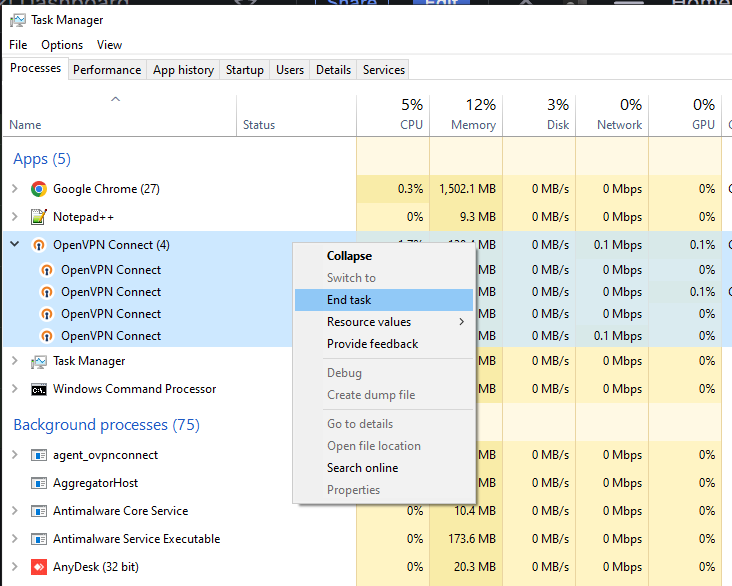
1. Kill the main app Open up your Task Manager (just hit Ctrl + Shift + Esc or search for it in your Start menu). Under the main Apps list, find OpenVPN, click it, and hit End task.
2. Check in background processes Don’t close Task Manager just yet! Scroll down to the Background processes section. Keep an eye out for anything labeled “openvpn connect” or similar that might still be lurking. If you spot any, click them and hit End task too.
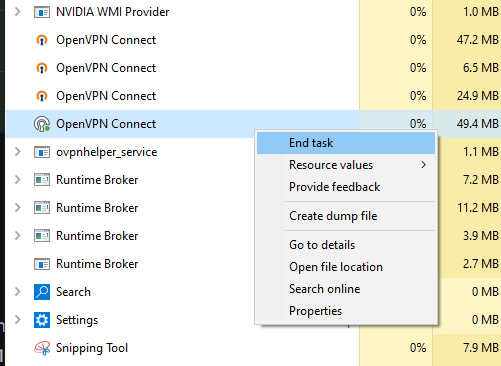
3. Try Reconnect – Once you’re sure OpenVPN is completely closed out, open the app back up and try connecting.
The “Temporary Possible” Workaround (For Mac Users)
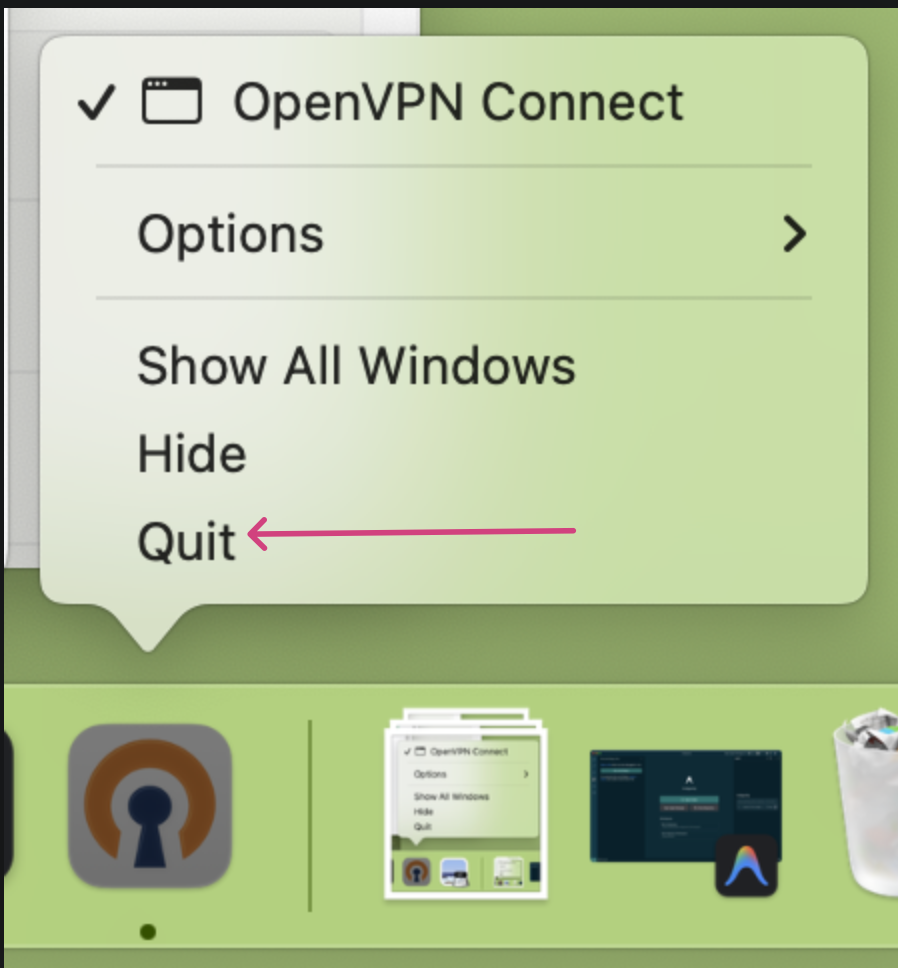
- To fully restart the application, hold the Control button while clicking the OpenVPN icon, select Quit, and then reopen the app to attempt your connection again.
If the connection still fails after a few attempts following these steps, we recommend trying the process again. Complete The Workaround (For Windows Users) Step 1 and Step 2 / The Workaround (For Mac Users) Step 1 again, but this time, wait for about 10 to 15 minutes before relaunching the application and trying to connect.
We greatly appreciate your patience and understanding as we work through this instability. We will provide another update as soon as we have a permanent resolution.